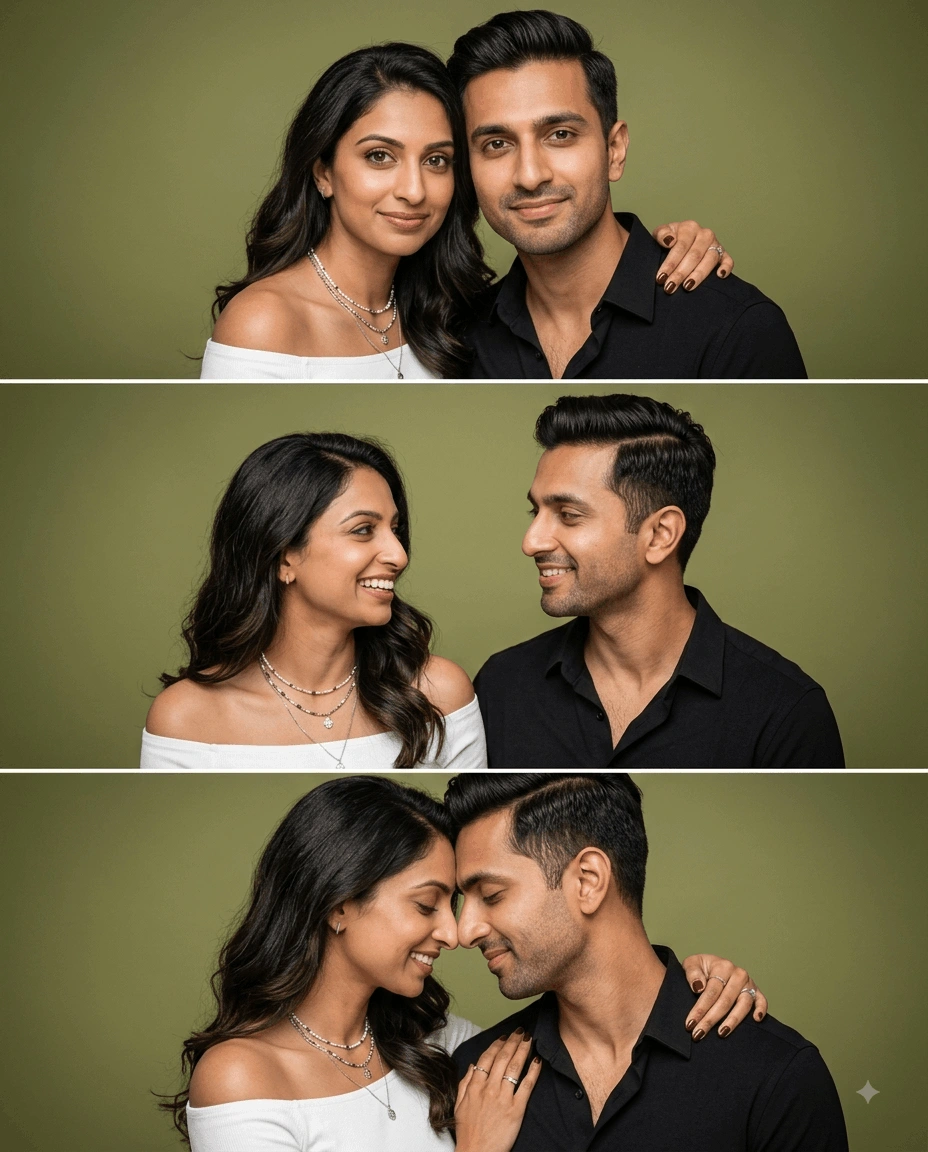
Peach Elegance Couple Portrait AI Photo Prompt
Create a photorealistic couple portrait featuring coordinated peach-toned fashio...
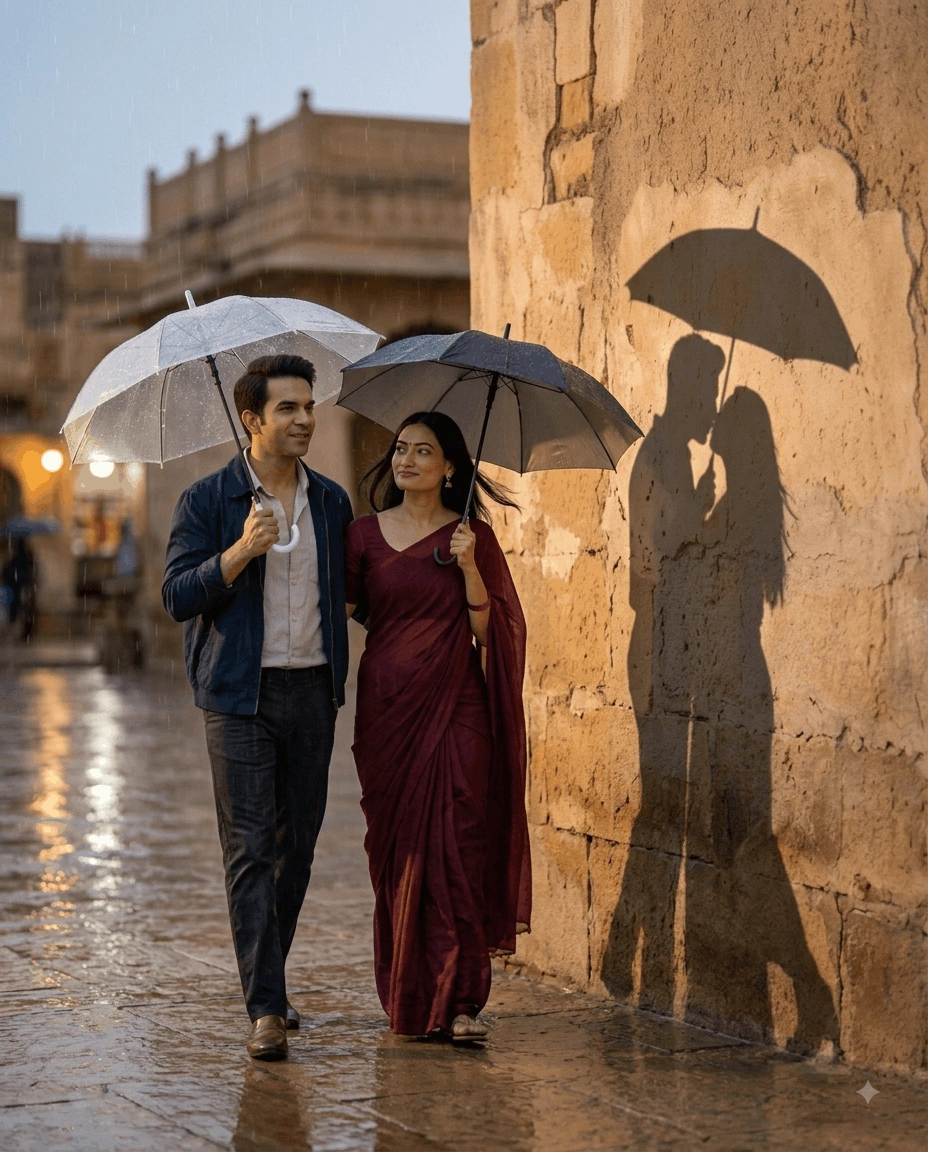
Transform a couple photo into a cinematic rainy-evening scene where their wall shadow reveals a hidden romantic moment beneath one umbrella, while preserving both original identities.
Transform the uploaded couple image into a hyper-realistic cinematic rainy evening photo edit while preserving both faces exactly as they appear in the original photograph.

Identity Preservation:
Keep both subjects completely identical to the uploaded reference. Preserve their exact facial features, facial structure, skin tone, hairstyle, eye shape, lips, nose, jawline, facial proportions, body proportions, and overall identity.

Do not replace, redesign, beautify, reshape, age, de-age, stylize, or modify either face.

Maintain authentic skin texture, natural pores, realistic facial details, individual hair strands, believable anatomy, and natural human proportions.

Only allow subtle calm romantic expressions that remain completely consistent with each person's original identity.

Scene & Composition:
Create a cinematic rainy-evening scene featuring the couple walking beside a softly illuminated heritage wall shortly after light rain.

The couple should appear naturally positioned within the environment, with the heritage wall clearly visible behind them so the creative shadow story can be established realistically.

The man wears a navy casual jacket layered over a light-colored shirt with dark trousers.

The woman wears a deep maroon saree with elegant natural folds and realistic fabric texture. Her hair flows naturally with subtle movement created by the damp evening atmosphere.

Each person holds a separate umbrella while walking beside the wall.

The overall composition should feel spontaneous, romantic, atmospheric, and photographic rather than staged.

Pose & Expression:
Maintain relaxed natural walking poses.

The man should have a calm romantic expression and natural posture.

The woman should appear peaceful and emotionally connected while walking naturally.

Keep their body positions anatomically correct and proportionate.

Avoid exaggerated romantic poses or artificial expressions.

Creative Shadow Story:
The most important creative element is the wall shadow.

Their shadows should be realistically projected onto the heritage wall while revealing a hidden romantic moment.

Instead of showing two separate umbrellas in the shadow, the shadow should depict the couple standing close together beneath a single umbrella while sharing a gentle kiss.

The transformed shadow must remain visually connected to the real subjects and should behave like a physically believable projected shadow.

Maintain realistic shadow scale, direction, perspective, contact points, softness, and environmental interaction.

The kissing silhouette should be subtle, elegant, and recognizable without becoming overly dramatic or cartoon-like.

Rain & Surface Details:
Create a believable post-rain environment.

Add subtle wetness to the ground and heritage wall without making the scene excessively soaked.

Include realistic reflections from nearby lights across wet pavement.

Add a few fine residual raindrops and tiny water droplets where appropriate.

Avoid heavy rain that obscures the subjects.

Umbrellas should show realistic wet material, subtle highlights, and natural water reflections.

Lighting:
Use soft cinematic street lighting mixed with gentle ambient evening illumination.

Create warm highlights around the heritage wall and subtle cool tones in the surrounding environment.

Use controlled directional light that produces a believable shadow projection onto the wall.

Ensure the shadow direction matches the actual light source.

Use soft falloff around the subjects with natural highlights on their faces, hair, clothing, and umbrellas.

Avoid harsh artificial lighting or exaggerated HDR effects.

Camera & Photography:
Simulate a professional full-frame DSLR photograph captured with an 85mm portrait lens at f/1.8 aperture.

Use a natural eye-level perspective with realistic lens compression.

Keep the couple sharply defined while producing a creamy shallow-depth-of-field background.

Maintain realistic separation between the subjects, heritage wall, wet pavement, and distant environmental lights.

Create authentic cinematic depth with subtle background bokeh.

Color Grading:
Use sophisticated rainy-evening color grading with deep navy, maroon, charcoal, warm amber, and muted neutral tones.

Maintain accurate natural skin colors.

Create a subtle contrast between cooler ambient surroundings and warmer architectural lighting.

Use restrained saturation, smooth highlight roll-off, realistic shadows, and natural tonal transitions.

Realism & Texture:
Ultra-realistic photography
Natural skin pores
Authentic facial texture
Detailed individual hair strands
Realistic saree folds
Natural jacket and shirt fabric
Wet pavement reflections
Realistic umbrella material
Weathered heritage wall texture
Physically believable shadows
Natural human anatomy
Cinematic depth
Professional photography finish
Subtle film grain
High-resolution detail

Negative Prompt:
face alteration, identity mismatch, different person, face replacement, facial restructuring, skin tone change, hairstyle change, eye distortion, lip distortion, jawline change, body proportion change, plastic skin, artificial beauty filter, excessive smoothing, fake skin texture, unnatural expression, distorted anatomy, deformed hands, extra fingers, duplicated people, duplicate umbrellas, floating umbrella, unrealistic rain, excessive rain, disconnected shadow, floating shadow, incorrect shadow direction, incorrect shadow perspective, cartoon shadow, anime style, illustration style, harsh HDR, excessive saturation, oversharpening, artificial glow, cluttered background, double jewelry overlays, text, logo, watermark

Aspect Ratio: 4:5
Learn how to use this prompt effectively and maximize the quality of your AI-generated output.
Create a cinematic rainy evening couple photo edit that transforms an ordinary couple photograph into an atmospheric romantic scene filled with soft reflections, heritage architecture, umbrellas, and a meaningful shadow transformation. The original identities of both subjects remain the visual foundation of the composition.
This professionally structured AI photo editing prompt combines exact facial identity preservation, realistic rain reflections, heritage surroundings, cinematic street lighting, natural clothing textures, shallow depth of field, and creative shadow storytelling. The foreground shows the couple walking separately under their own umbrellas, while their wall shadow reveals an intimate moment together beneath a single umbrella.
Keeps both subjects visually consistent with the uploaded reference, preserving facial structure, skin tone, hairstyle, eyes, lips, jawline, body proportions, pores, and natural facial details.
Creates a softly illuminated post-rain environment with realistic wet surfaces, subtle reflections, atmospheric depth, and natural street-light glow.
Transforms the couple's wall shadow into a romantic scene showing them sharing one umbrella and a gentle kiss, creating a visual story within the photograph.
Uses an 85mm full-frame DSLR aesthetic, f/1.8 aperture, shallow depth of field, realistic skin texture, soft illumination, and cinematic image separation.
This prompt is ideal for couples, photographers, AI artists, content creators, social media designers, romantic campaign creators, and anyone who wants to turn an existing couple photograph into an emotional cinematic story.
Why You'll Love It
The concept combines two visual narratives in one image. The real couple walks separately through the rainy evening, while their shadow quietly reveals the romantic connection between them. This contrast creates an emotional and memorable storytelling effect without sacrificing photographic realism.
Follow these steps to transform an existing couple photograph into a realistic rainy-evening love story with a creative shadow effect while maintaining the original identities of both subjects.
Use a reference image with clearly separated subjects and a visible wall or vertical surface nearby. A strong but diffused evening light source makes it easier for an AI editor to create a convincing shadow transformation while preserving realistic proportions and direction.
Explore more couple & romance prompts similar to this one.
Create a photorealistic couple portrait featuring coordinated peach-toned fashio...
Create a photorealistic three-panel couple portrait with accurate facial identit...
Create a dreamy cinematic couple portrait with soft golden light, pink bougainvi...
Create an amazing result using this prompt and share it with the Prompt Locator community. Selected submissions may be featured in this gallery to inspire other creators.
Help us keep Prompt Locator safe by reporting inappropriate content.
Help improve this prompt by submitting your suggestion.