Pastel Kawaii Skincare Campaign AI Prompt | Playful Gen Z Beauty Poster
Create a playful pastel skincare campaign featuring a cheerful young woman holdi...
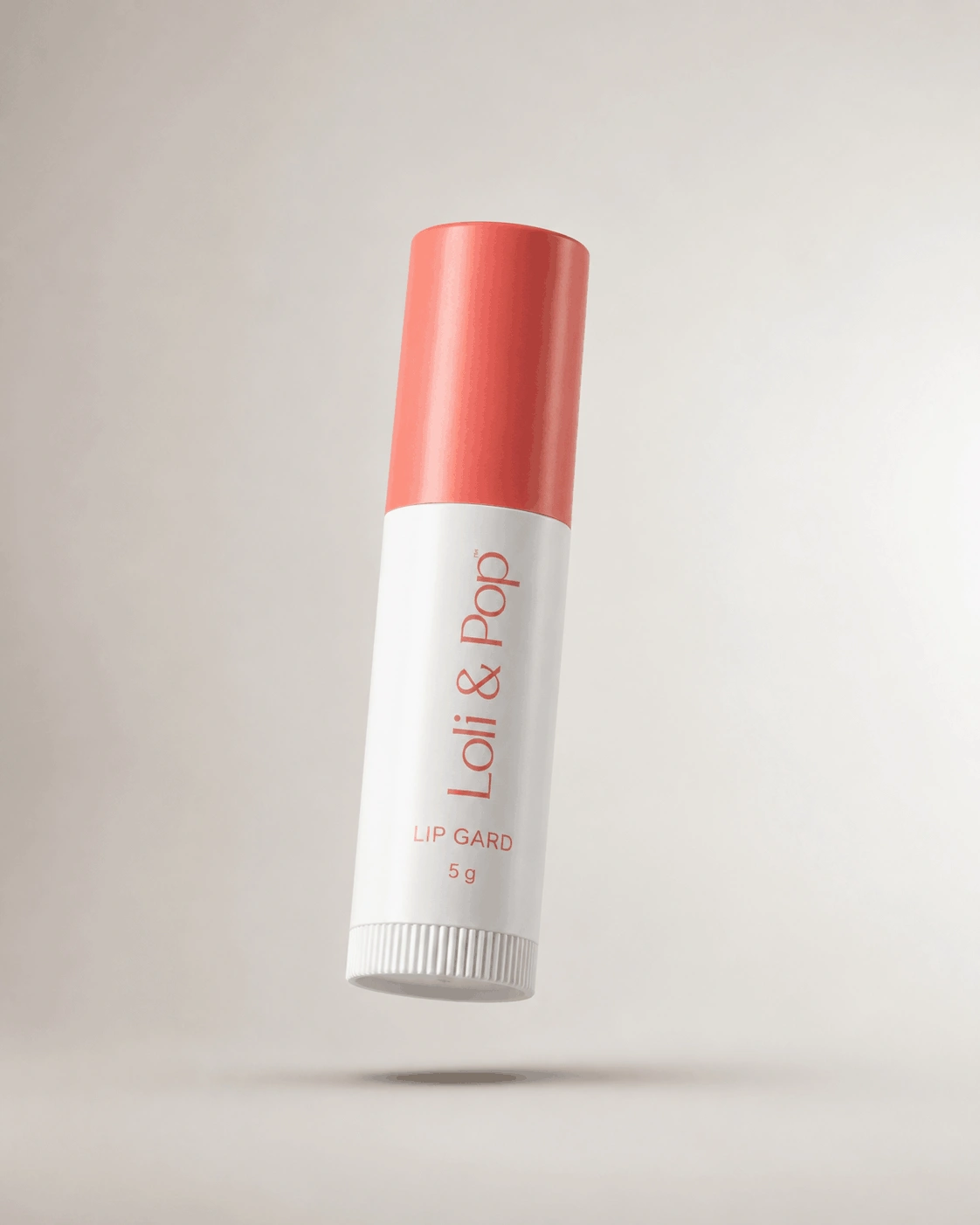
Create a realistic floating product presentation on a clean neutral studio background while preserving the product's exact geometry, visible details, materials, and authentic appearance.
Use the uploaded product image as the ONLY reference for the product.

Transform the [product] into a realistic floating studio product photograph while preserving its original appearance with maximum accuracy.

PRODUCT IDENTITY & GEOMETRY — STRICT:
Preserve the exact original product geometry.

Maintain:
- Original shape
- Exact proportions
- Dimensions and structural form
- Contours and edges
- Branding and logo placement
- Label text
- Packaging details
- Original colors
- Surface finish
- Material characteristics
- Visible textures
- Buttons, controls, handles, seams, and other recognizable components

Do not redesign, reshape, replace, simplify, or reinterpret the product.

FLOATING COMPOSITION:
Present the product as if it is naturally suspended slightly above the studio surface.

Maintain realistic scale, perspective, orientation, and spatial proportions.

The floating effect should feel clean and intentional rather than artificial.

Keep the product fully visible with comfortable negative space around it.

Do not crop any important part of the product.

BACKGROUND:
Use a clean neutral studio background.

The background should be:
- Minimal
- Smooth
- Distraction-free
- Softly illuminated
- Professional
- Neutral in tone

Avoid busy environments, decorative props, patterns, people, furniture, or unnecessary objects.

LIGHTING:
Use soft professional studio lighting with balanced illumination.

Create gentle highlights that reveal the product's shape and material.

Maintain accurate colors and realistic surface response.

Avoid harsh hotspots, blown highlights, excessive contrast, or unnatural illumination.

SHADOW & DEPTH:
Add a soft, subtle shadow directly beneath the floating product.

The shadow should create visual grounding and dimensional depth while maintaining the floating presentation.

Keep the shadow diffused, natural, and understated.

Do not create a heavy dark shadow or an unrealistic contact point.

MATERIAL REALISM:
Preserve the authentic appearance of the product's materials.

For glossy, metallic, glass, polished, or reflective surfaces, create subtle realistic reflections consistent with professional studio lighting.

For matte, fabric, paper, leather, plastic, or textured materials, maintain believable surface characteristics.

Do not make materials look artificial, excessively glossy, plastic-like, or CGI-generated.

DETAIL & SHARPNESS:
Keep the product sharply focused.

Render fine surface details, textures, edges, labels, logos, seams, and structural elements with high clarity.

Maintain realistic photographic detail without excessive sharpening.

PHOTOGRAPHY STYLE:
Premium commercial studio product photography.

Modern e-commerce presentation.
Minimalist visual composition.
Realistic product rendering.
Controlled studio illumination.
Accurate material reproduction.
Clean professional finish.
High-resolution photographic quality.

CAMERA & COMPOSITION:
Use a professional product photography perspective.

Keep the product visually centered and balanced.

Maintain natural perspective without wide-angle distortion.

Use sufficient depth of field to keep the important product surfaces and details clearly defined.

Create a refined floating-product composition suitable for websites, catalogs, advertisements, and digital commerce.

OVERALL RESULT:
Generate a polished, photorealistic floating studio product image that looks professionally photographed.

Prioritize product accuracy, realistic geometry, authentic materials, clean presentation, and believable depth over unnecessary creative effects.

STRICT NEGATIVE PROMPT:
No product redesign, no geometry change, no altered proportions, no warped shape, no missing components, no extra components, no duplicate product, no incorrect branding, no altered logo, no misspelled label text, no distorted edges, no excessive reflection, no harsh glare, no heavy shadow, no visible support mechanism, no wires, no strings, no stands, no props, no people, no hands, no busy background, no dramatic environment, no CGI appearance, no 3D render, no plastic-looking surfaces, no excessive HDR, no oversaturation, no artificial glow, no excessive blur, no watermark, no unwanted text.
Learn how to use this prompt effectively and maximize the quality of your AI-generated output.
Create a striking floating product studio photograph with this professionally structured AI image prompt. Designed to give ordinary product imagery a refined commercial presentation, the prompt places your product against a clean neutral background while preserving its original geometry, proportions, materials, branding, and visible details.
A carefully controlled soft shadow beneath the product creates a convincing sense of grounding and depth, while realistic studio illumination enhances the product without unnecessarily changing its appearance. The result is suitable for e-commerce stores, catalogs, advertising creatives, product launches, brand websites, and modern commercial campaigns.
Preserves the original shape, proportions, contours, structural details, and recognizable form of the supplied product.
Creates a visually elevated product composition while maintaining realistic perspective, scale, and believable studio depth.
Adds a soft controlled shadow beneath the product to create depth and prevent the composition from appearing unnaturally disconnected.
Keeps visible branding, textures, labels, colors, materials, and other recognizable product characteristics realistic and consistent.
This prompt is ideal for e-commerce sellers, product designers, photographers, brand owners, advertising professionals, online retailers, content creators, and marketing teams looking for distinctive yet realistic product visuals.
Why You'll Love It
Give your product a modern floating-studio presentation without sacrificing realism. The prompt combines accurate product preservation with controlled depth, neutral surroundings, and subtle shadow work for a polished commercial result.
Upload a clear product reference and use this prompt to create a refined floating studio image while maintaining the original product geometry, visible details, realistic materials, and professional commercial presentation.
Use a clean reference image showing the product from a clear angle with minimal obstruction. This helps preserve its geometry and fine details while allowing the AI to create a convincing elevated composition without visible support equipment.
Explore more product photography prompts similar to this one.
Create a playful pastel skincare campaign featuring a cheerful young woman holdi...
Create a vibrant retro bubble tea advertisement poster featuring a stylish young...
Transform an uploaded perfume bottle into a refined commercial beauty photograph...
Create an amazing result using this prompt and share it with the Prompt Locator community. Selected submissions may be featured in this gallery to inspire other creators.
Help us keep Prompt Locator safe by reporting inappropriate content.
Help improve this prompt by submitting your suggestion.