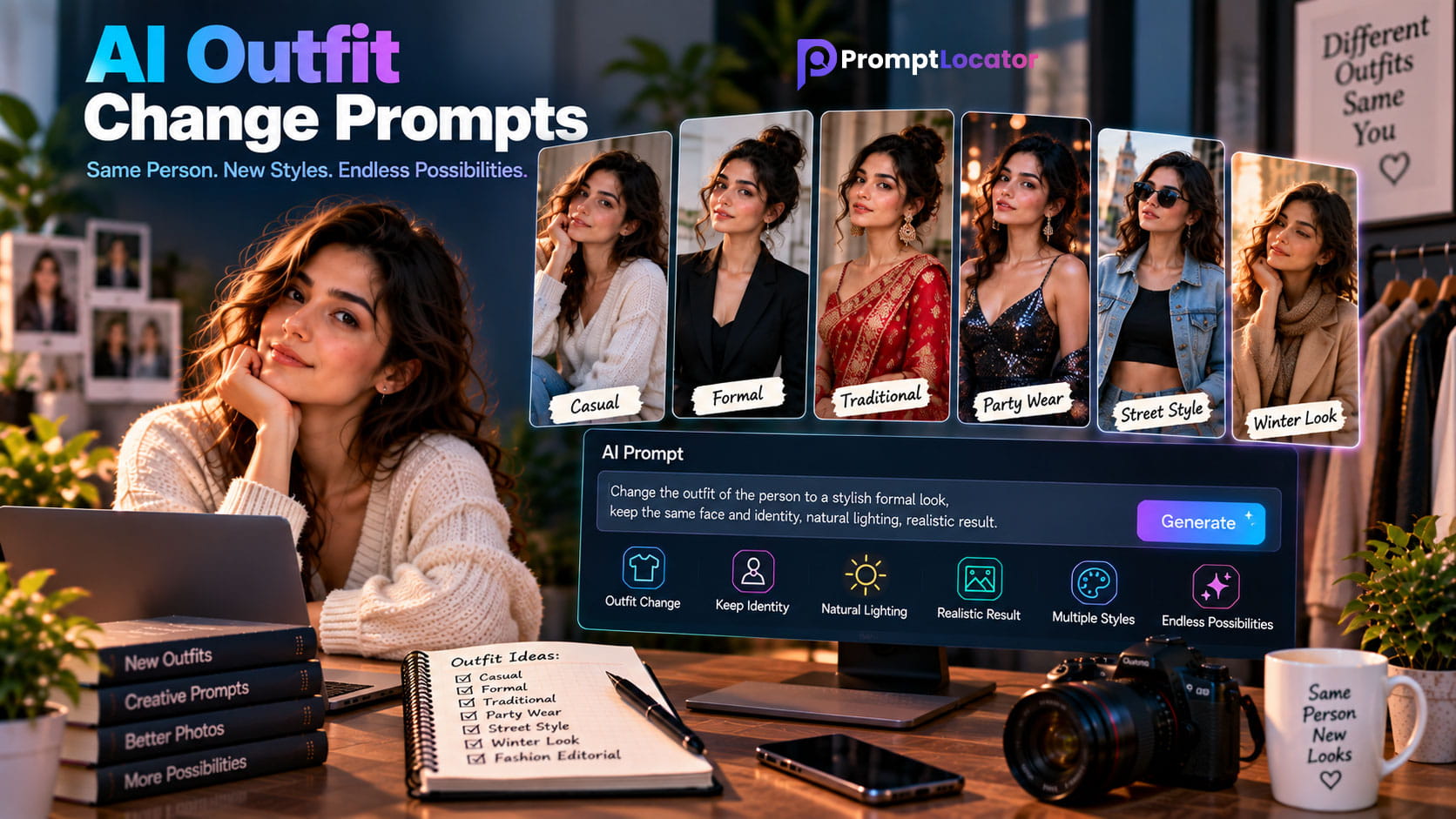
AI outfit change prompts make it possible to replace clothing in a photograph without manually editing every part of the image. With the right prompt, AI photo editing tools can change a shirt, dress, suit, jacket, traditional outfit, or complete look while keeping the person's identity and overall appearance consistent.
Whether you want to create a professional headshot, try a new fashion style, visualize a traditional outfit, prepare a social media photograph, or experiment with different clothing ideas, AI outfit editing can make the process much faster and more flexible.
When changing an outfit, clearly describe the new clothing while telling the AI to preserve the person's facial identity, hairstyle, pose, body proportions, skin tone, and other important features.
What Are AI Outfit Change Prompts?
AI outfit change prompts are written instructions that tell an AI photo editing tool to replace or modify the clothing visible in an existing photograph. Instead of manually removing the original clothing and creating a new outfit, you can describe the desired clothing and let the AI generate the visual changes.
A prompt can specify the type of outfit, color, fabric, fit, style, accessories, occasion, and overall fashion direction. You can also include instructions describing which parts of the original photograph must remain unchanged.
For example, you can transform a casual T-shirt into a formal blazer, replace everyday clothing with traditional attire, change a simple dress into an elegant evening gown, or create a completely different fashion look while maintaining the same person.
Why Use AI Outfit Change Prompts?
Clothing has a major effect on how a photograph looks. Changing an outfit can completely alter the mood, purpose, and visual style of an image without requiring a new photoshoot.
AI outfit editing can be useful for personal photographs, fashion concepts, social media content, professional profiles, creative projects, and visual experimentation.
- Try different clothing styles without changing the photograph.
- Create professional business portraits.
- Experiment with fashion and editorial outfits.
- Visualize traditional and cultural clothing.
- Change casual clothing into formal attire.
- Create different looks for social media photographs.
- Test colors and clothing combinations.
- Create wedding and event outfit concepts.
- Explore seasonal clothing styles.
- Create creative fashion concepts.
How to Write AI Outfit Change Prompts
A strong outfit change prompt should describe the new clothing clearly without unnecessarily describing parts of the photograph that do not need to change.
The simplest approach is to identify the person, specify the new outfit, and then add preservation instructions for the person's identity and appearance.
Change the person's current outfit to [desired outfit].
    Keep the person's facial identity, facial features, hairstyle,
    skin tone, body proportions, pose, expression, and overall appearance unchanged.
    Make the new clothing fit naturally and realistically.
    Preserve realistic fabric texture, folds, lighting, shadows, and proportions.
    Make the final image look like an authentic photograph.
1. Describe the New Outfit
Start by explaining exactly what the person should wear. Mention the clothing type, color, material, fit, and style when those details matter.
Instead of simply writing "change the clothes," you could write "replace the current outfit with a tailored charcoal gray blazer, white dress shirt, and dark trousers."
More specific clothing descriptions give the AI a clearer target and make it easier to control the final result.
2. Specify Colors
Color is one of the easiest ways to control an outfit edit. If you have a particular look in mind, mention the exact color or color combination.
You can request colors such as black, white, navy blue, beige, burgundy, olive green, pastel pink, cream, or other combinations appropriate for the desired style.
3. Describe Fabric and Material
Fabric descriptions can make generated clothing look more realistic. Depending on the outfit, you can mention cotton, linen, denim, leather, silk, velvet, wool, satin, chiffon, or other materials.
You can also describe how the fabric should behave. For example, ask for natural folds, realistic draping, subtle texture, or appropriate fabric weight.
4. Preserve the Person's Identity
Identity preservation is especially important when editing portraits. A clothing change should not unintentionally create a different-looking person.
Useful preservation instructions can include:
- Keep the exact facial identity.
- Preserve facial structure and proportions.
- Keep the hairstyle and hairline unchanged.
- Preserve natural skin tone and texture.
- Keep the original pose and expression.
- Preserve body proportions.
- Keep the original composition where possible.
If the person's identity is important, put preservation instructions directly into the prompt. Tell the AI to change the clothing only and keep the person's face, identity, hairstyle, pose, and body proportions unchanged.
5. Describe the Fit
Clothing should look naturally fitted to the person's body. You can specify relaxed, tailored, fitted, oversized, slim, loose, or structured depending on the desired look.
Avoid requesting a fit that conflicts with the person's natural pose or body proportions. The goal is to make the new outfit look as though the person was actually wearing it when the photograph was taken.
6. Match Lighting and Shadows
The new clothing should follow the lighting already present in the photograph. Fabric should contain realistic highlights, shadows, folds, and reflections based on the scene.
If the original photograph has soft daylight, the new outfit should respond to the same soft light. If the photograph uses dramatic studio lighting, the clothing should show corresponding highlights and shadows.
Best AI Outfit Change Prompts
The following ready-to-use AI outfit change prompts cover common clothing transformations. You can copy them directly and customize the colors, materials, and style for your photograph.
1. Simple Casual Outfit Change
Replace the current outfit with a clean modern casual outfit consisting
    of a premium plain T-shirt, well-fitted jeans, and minimal casual shoes.
    Keep the person's exact facial identity, facial features, hairstyle,
    skin tone, body proportions, pose, and expression unchanged.
    Make the clothing fit naturally to the existing body and pose.
    Preserve realistic fabric texture, folds, lighting, and shadows.
    Make the final image look like a natural lifestyle photograph.
2. Formal Outfit Change
Change the person's current clothing into a sophisticated formal outfit.
    Use a well-tailored dark suit, crisp dress shirt, elegant trousers,
    and polished formal shoes.
    Preserve the person's exact identity, face, hairstyle, skin tone,
    body proportions, pose, and expression.
    Make the suit fit naturally and follow the existing body shape and pose.
    Use realistic fabric texture, folds, highlights, and shadows.
3. Business Professional Outfit
Replace the current outfit with a professional business look.
    Use a tailored navy blue blazer, clean white shirt, matching formal trousers,
    and understated professional styling.
    Keep the person's facial identity, facial structure, hairstyle, skin tone,
    pose, expression, and body proportions completely unchanged.
    Make the clothing realistic and naturally fitted.
    Match the original lighting and create realistic fabric folds and shadows.
4. Classic Black Suit
Change the current clothing into a classic premium black suit with
    a crisp white dress shirt and elegant formal styling.
    Preserve the person's exact face, identity, hairstyle, skin tone,
    expression, pose, and body proportions.
    Keep the suit naturally fitted to the person's existing body.
    Create realistic fabric texture, natural folds, accurate shadows,
    and lighting consistent with the original photograph.
5. Clean White Shirt
Replace the current top with a clean premium white button-up shirt.
    Keep the person's face, identity, hairstyle, skin tone, pose,
    expression, and body proportions unchanged.
    Make the shirt naturally fitted with realistic cotton fabric,
    subtle wrinkles, natural folds, and accurate lighting.
    Do not change any other part of the person's appearance.
6. Denim Casual Outfit
Change the current outfit to a stylish casual denim look.
    Use a classic denim jacket over a simple neutral T-shirt with
    well-fitted dark jeans.
    Preserve the person's exact facial identity, hairstyle, skin tone,
    pose, expression, and body proportions.
    Make the denim texture, stitching, folds, and fit realistic.
    Keep the original lighting and composition unchanged.
7. Leather Jacket Outfit
Replace the current clothing with a premium black leather jacket,
    a simple dark shirt, and modern casual trousers.
    Keep the person's facial identity, facial features, hairstyle,
    skin tone, pose, expression, and body proportions unchanged.
    Make the leather material realistic with natural texture and subtle reflections.
    Preserve the original lighting and create realistic clothing folds.
8. Modern Hoodie Outfit
Change the current outfit into a modern premium casual hoodie outfit.
    Use a minimal solid-color hoodie with relaxed-fit trousers and clean sneakers.
    Keep the person's exact identity, face, hairstyle, skin tone,
    pose, expression, and body proportions unchanged.
    Make the hoodie fabric realistic with natural folds and appropriate thickness.
    Keep the result photorealistic and naturally integrated.
9. Smart Casual Outfit
Replace the existing clothing with a sophisticated smart-casual outfit.
    Use a fitted neutral shirt, tailored trousers, a lightweight blazer,
    and minimal elegant shoes.
    Preserve the person's exact facial identity, hairstyle, skin tone,
    pose, expression, and natural body proportions.
    Make every clothing item fit naturally and follow the existing pose.
    Use realistic fabric texture, folds, lighting, and shadows.
10. Summer Outfit
Change the current outfit into a stylish lightweight summer look.
    Use breathable linen clothing in soft neutral colors with a relaxed
    but polished fit.
    Keep the person's face, identity, hairstyle, skin tone, pose,
    expression, and body proportions exactly unchanged.
    Make the linen texture and natural fabric folds realistic.
    Preserve the original lighting and photographic composition.
AI Outfit Change Prompts for Women
AI outfit editing can be used to explore many women's fashion styles, from everyday casual clothing to formal dresses, business outfits, traditional attire, and editorial looks.
11. Elegant Dress
Replace the current outfit with an elegant sophisticated evening dress.
    Use premium flowing fabric, refined tailoring, and a flattering natural fit.
    Preserve the woman's exact facial identity, facial features, hairstyle,
    skin tone, body proportions, pose, and expression.
    Do not alter her face or body structure.
    Create realistic fabric draping, folds, highlights, and shadows that match
    the original lighting.
12. Women's Business Outfit
Change the current clothing into a polished professional women's business outfit.
    Use a tailored blazer, elegant blouse, refined trousers, and minimal
    professional accessories.
    Preserve the woman's exact identity, face, hairstyle, skin tone,
    body proportions, pose, and expression.
    Keep the clothing naturally fitted to the existing body and pose.
    Use realistic fabric texture, folds, lighting, and shadows.
13. Floral Dress
Replace the current outfit with an elegant modern floral dress.
    Use a tasteful floral pattern, lightweight fabric, and natural flowing shape.
    Keep the woman's exact facial identity, facial structure, hairstyle,
    skin tone, pose, expression, and body proportions unchanged.
    Make the dress follow the existing pose naturally.
    Preserve realistic fabric folds, texture, lighting, and shadows.
14. Blazer and Trousers Outfit
Change the current outfit into a modern tailored blazer and trousers set.
    Use sophisticated neutral colors, clean tailoring, and a premium
    professional fashion aesthetic.
    Preserve the woman's exact identity, facial features, hairstyle,
    skin tone, pose, expression, and body proportions.
    Do not change her face or body structure.
    Make the clothing realistic and naturally fitted to the existing pose.
15. Modern Women's Casual Outfit
Replace the existing clothing with a stylish modern casual women's outfit.
    Use a premium fitted top, relaxed trousers, and minimal contemporary footwear.
    Keep the woman's facial identity, face shape, hairstyle, skin tone,
    expression, pose, and body proportions unchanged.
    Make the outfit naturally fitted and realistic.
    Preserve natural fabric texture, folds, lighting, and shadows.
For better clothing edits, describe the outfit from the outside in: clothing type, color, material, fit, accessories, and overall style. Then add preservation instructions so the AI focuses the transformation on the outfit.
AI Outfit Change Prompts for Men
AI outfit editing can transform men's clothing for professional portraits, casual photographs, fashion shoots, special occasions, travel photos, and social media content. The most important instruction is to change the clothing while keeping the person's original identity and physical appearance consistent.
16. Men's Business Casual Outfit
Replace the current outfit with a sophisticated men's business-casual look.
    Use a tailored blazer, premium button-up shirt, fitted chinos, and
    minimal leather shoes.
    Keep the man's exact facial identity, facial features, hairstyle,
    skin tone, body proportions, pose, and expression unchanged.
    Make the clothing naturally fitted to the existing body and pose.
    Preserve realistic fabric texture, folds, lighting, and shadows.
17. Men's Modern Casual Fashion
Change the current clothing into a modern premium casual fashion outfit.
    Use a clean oversized neutral shirt, stylish trousers, and contemporary
    minimal sneakers.
    Preserve the man's exact identity, face, hairstyle, skin tone,
    expression, pose, and body proportions.
    Make the clothing fit naturally and follow the existing pose.
    Use realistic fabric texture, folds, shadows, and natural lighting.
18. Classic Tuxedo
Replace the existing outfit with a sophisticated classic black tuxedo.
    Include a crisp white dress shirt, elegant black bow tie, tailored trousers,
    and polished formal shoes.
    Keep the man's facial identity, facial structure, hairstyle, skin tone,
    pose, expression, and body proportions completely unchanged.
    Make the tuxedo naturally fitted to the existing body.
    Create realistic fabric texture, folds, highlights, and shadows.
19. Denim Fashion Outfit
Change the current outfit into a stylish coordinated denim look.
    Use a premium denim jacket, simple neutral T-shirt, and dark fitted jeans.
    Keep the man's exact facial identity, hairstyle, skin tone, pose,
    expression, and body proportions unchanged.
    Preserve realistic denim texture, stitching, folds, and natural fit.
    Keep the original lighting and photographic composition.
AI Traditional Outfit Change Prompts
Traditional clothing is another useful application for AI outfit editing. You can experiment with cultural and formal clothing while keeping the person's original photograph and identity consistent.
20. Traditional Kurta Outfit
Replace the current outfit with an elegant traditional kurta and matching
    trousers in a sophisticated neutral color.
    Use realistic premium fabric with subtle embroidery and natural folds.
    Keep the person's exact facial identity, hairstyle, skin tone, expression,
    pose, and body proportions unchanged.
    Make the outfit naturally fitted to the existing body and pose.
    Preserve realistic lighting, fabric texture, shadows, and details.
21. Traditional Sherwani
Change the current clothing into an elegant traditional sherwani suitable
    for a formal celebration.
    Use rich premium fabric, refined embroidery, subtle traditional details,
    and a sophisticated tailored fit.
    Preserve the man's exact facial identity, facial features, hairstyle,
    skin tone, pose, expression, and body proportions.
    Do not alter the face or body structure.
    Make the clothing realistic with natural folds, texture, lighting, and shadows.
22. Elegant Saree
Replace the current outfit with an elegant traditional saree.
    Use premium flowing fabric, refined detailing, realistic pleats, and
    natural draping that follows the existing body and pose.
    Preserve the woman's exact facial identity, facial features, hairstyle,
    skin tone, expression, pose, and body proportions.
    Do not change her face or body structure.
    Create realistic fabric texture, folds, highlights, shadows, and natural lighting.
23. Traditional Lehenga
Change the current outfit into an elegant traditional lehenga with
    a beautifully coordinated blouse and dupatta.
    Use premium fabric, refined embroidery, realistic embellishments,
    and natural flowing folds.
    Preserve the woman's exact identity, facial features, hairstyle,
    skin tone, pose, expression, and body proportions.
    Keep her face and body structure unchanged.
    Make the outfit naturally fitted to the existing pose with realistic lighting.
24. Traditional Salwar Suit
Replace the current clothing with an elegant traditional salwar suit.
    Use a tasteful color combination, premium fabric, subtle embroidery,
    and naturally flowing fabric.
    Preserve the woman's exact facial identity, hairstyle, skin tone,
    expression, pose, and body proportions.
    Do not modify her face or body structure.
    Make the clothing realistic with natural folds, texture, lighting, and shadows.
AI Wedding Outfit Change Prompts
Wedding and formal-event photographs can be transformed by changing the clothing while maintaining the original photograph's composition. These edits work particularly well when the prompt clearly defines the outfit and emphasizes identity preservation.
25. Bridal Outfit
Replace the current outfit with an elegant bridal outfit featuring
    premium traditional fabric, refined embroidery, and sophisticated detailing.
    Keep the woman's exact facial identity, facial structure, hairstyle,
    skin tone, expression, pose, and body proportions unchanged.
    Preserve her natural appearance and do not alter her face.
    Make the clothing naturally fitted with realistic fabric folds,
    texture, highlights, and shadows.
26. Groom Outfit
Change the current outfit into a sophisticated traditional groom outfit.
    Use a premium sherwani with elegant embroidery, coordinated trousers,
    and refined traditional styling.
    Preserve the man's exact facial identity, facial features, hairstyle,
    skin tone, expression, pose, and body proportions.
    Do not alter his face or physical appearance.
    Create realistic fabric texture, embroidery, folds, lighting, and shadows.
27. Modern Wedding Suit
Replace the current clothing with a sophisticated modern wedding suit.
    Use a perfectly tailored dark suit, crisp dress shirt, elegant tie,
    and polished formal shoes.
    Keep the man's exact identity, face, hairstyle, skin tone, pose,
    expression, and body proportions unchanged.
    Make the suit naturally fitted and realistic.
    Preserve accurate fabric texture, folds, lighting, and shadows.
AI Seasonal Outfit Change Prompts
Seasonal clothing edits are useful for creating different looks from the same photograph. When changing seasonal outfits, also consider the environment and lighting so that the clothing feels appropriate for the scene.
28. Winter Outfit
Replace the current outfit with a stylish premium winter look.
    Use a warm wool coat, knitted sweater, tailored trousers, and elegant boots.
    Keep the person's exact facial identity, hairstyle, skin tone, pose,
    expression, and body proportions unchanged.
    Make the winter clothing naturally fitted and realistic.
    Preserve realistic wool and fabric texture, folds, lighting, and shadows.
29. Summer Fashion Outfit
Change the current clothing into a stylish premium summer outfit.
    Use lightweight breathable fabrics, relaxed tailoring, and elegant
    neutral colors suitable for warm weather.
    Preserve the person's exact identity, face, hairstyle, skin tone,
    pose, expression, and body proportions.
    Make the fabric realistic with natural folds and subtle texture.
    Keep the original lighting and composition unchanged.
30. Autumn Fashion Outfit
Replace the current outfit with a sophisticated autumn fashion look.
    Use a tailored neutral coat, premium knitwear, fitted trousers,
    and elegant boots in warm seasonal tones.
    Keep the person's facial identity, hairstyle, skin tone, pose,
    expression, and body proportions completely unchanged.
    Make the clothing naturally fitted with realistic texture and folds.
    Match the lighting and shadows to the existing photograph.
AI Fashion and Editorial Outfit Prompts
31. High-Fashion Editorial Outfit
Replace the current outfit with a sophisticated high-fashion editorial look.
    Use structured premium clothing, refined tailoring, modern silhouettes,
    and luxurious fabric textures.
    Preserve the model's exact facial identity, facial features, hairstyle,
    skin tone, pose, expression, and body proportions.
    Do not change the person's face or physical structure.
    Make the clothing realistic with accurate folds, shadows, highlights,
    and professional fashion photography lighting.
32. Minimalist Fashion Outfit
Change the existing clothing into a premium minimalist fashion outfit.
    Use clean silhouettes, neutral colors, refined tailoring, and understated
    modern styling.
    Keep the person's exact identity, face, hairstyle, skin tone, pose,
    expression, and body proportions unchanged.
    Avoid unnecessary accessories or decorative elements.
    Make the clothing realistic with natural fabric texture, folds, and lighting.
33. Modern Streetwear Outfit
Replace the current outfit with a premium contemporary streetwear look.
    Use an oversized jacket, modern relaxed-fit trousers, a minimal top,
    and clean contemporary sneakers.
    Preserve the person's exact facial identity, hairstyle, skin tone,
    expression, pose, and body proportions.
    Keep the clothing naturally fitted according to the existing pose.
    Create realistic fabric texture, folds, shadows, and natural lighting.
If you need a very specific outfit, mention the garment type, color, material, fit, length, pattern, and important design details. For a simpler edit, avoid adding details that are not important to the final look.
AI Outfit Change Prompts for Social Media
Social media photographs often benefit from clean, modern clothing that fits the overall visual style of the profile. AI outfit editing can help create several variations from one photograph without changing the person's recognizable appearance.
34. Instagram Fashion Look
Replace the current outfit with a stylish contemporary social media fashion look.
    Use premium modern clothing, coordinated neutral tones, and clean styling.
    Keep the person's exact face, identity, hairstyle, skin tone, pose,
    expression, and body proportions unchanged.
    Make the outfit realistic and naturally fitted.
    Preserve realistic fabric texture, folds, lighting, and shadows.
35. Professional Profile Outfit
Change the current outfit into a polished professional profile-photo outfit.
    Use a well-fitted blazer and clean professional shirt in sophisticated neutral colors.
    Keep the person's exact facial identity, facial features, hairstyle,
    skin tone, expression, pose, and body proportions unchanged.
    Do not alter the face or hairstyle.
    Create realistic clothing texture, natural folds, and professional lighting.
AI Outfit Change Prompt Formulas
Once you understand the basic structure, you can create your own outfit change prompts instead of relying only on ready-made examples. A simple formula makes it easier to control the clothing while preserving the original person.
Simple Outfit Change Formula
Change the current outfit to [clothing type].
    Use [color] [material] with a [fit/style] appearance.
    Keep the person's face, identity, hairstyle, skin tone,
    pose, expression, and body proportions unchanged.
    Make the clothing realistic and naturally fitted.
Detailed Outfit Change Formula
Replace the existing outfit with [specific outfit].
    Use [fabric/material], [color], [fit], [pattern], and [design details].
    Preserve the person's exact facial identity, facial structure,
    hairstyle, skin tone, expression, pose, and body proportions.
    Keep the original composition and camera perspective.
    Make the clothing follow the existing body naturally.
    Add realistic fabric texture, folds, highlights, and shadows.
    Match the clothing to the original lighting and environment.
    Do not change any part of the person other than the outfit.
How to Change Only the Outfit
One of the most common problems with AI clothing edits is that the tool changes more than the user intended. The face, hairstyle, background, body shape, or accessories may also change.
If you want an outfit-only transformation, clearly define the editing boundary. Tell the AI that the clothing is the only element being modified and that all other important visual characteristics should remain unchanged.
Change only the person's clothing.
    Do not change the face, facial identity, hairstyle, skin tone,
    body proportions, pose, expression, hands, or background.
    Replace the existing outfit with a [desired outfit].
    Make the new clothing naturally fit the existing body and pose.
    Preserve realistic fabric texture, folds, lighting, and shadows.
    Keep everything else in the original photograph unchanged.
How to Preserve the Face When Changing an Outfit
Facial changes can be especially noticeable when editing portraits. If the goal is simply to experiment with clothing, the person's recognizable identity should remain consistent.
Add direct preservation instructions rather than assuming the AI will automatically understand that the face should remain unchanged.
- Preserve the exact facial identity.
- Keep the original facial structure and proportions.
- Keep the same eyes, eyebrows, nose, lips, and jawline.
- Preserve the original hairstyle and hairline.
- Maintain the natural skin tone and texture.
- Keep the original expression.
- Do not regenerate or redesign the face.
Change the outfit only while preserving the person's exact recognizable identity.
    Keep the original facial structure, facial proportions, eyes, eyebrows,
    nose, lips, jawline, hairstyle, hairline, skin tone, and natural skin texture.
    Do not regenerate, beautify, reshape, or alter the face.
    Keep the original pose and expression unchanged.
How to Make AI-Generated Outfits Look Realistic
A convincing outfit replacement needs more than an accurate description of the clothing. The new clothing should behave naturally according to the person's body, pose, lighting, and environment.
Use Realistic Fabric Texture
Different materials reflect light differently. Cotton, denim, leather, silk, satin, wool, and linen should not all have the same surface appearance.
Mention the material when it is important to the design. This can help the AI create appropriate texture, highlights, folds, and reflections.
Add Natural Clothing Folds
Clothing should bend and fold according to the person's pose. A shirt should not appear perfectly flat while the person is sitting or moving.
Instructions such as "natural fabric folds following the existing pose" can help create more believable results.
Preserve Body Proportions
Changing clothing should not automatically change the person's body shape. If maintaining the original appearance is important, explicitly ask the AI to preserve natural body proportions and the existing pose.
Match the Original Lighting
The new outfit should respond to the same lighting as the original photograph. Make sure highlights and shadows appear in believable locations.
Think of the new outfit as if it had physically been worn during the original photoshoot. The fabric should follow the person's pose, the lighting should match the scene, and shadows should behave naturally.
Common AI Outfit Change Mistakes
Beginners can get inconsistent results when their prompts are too vague or when they request too many unrelated changes at once. Keeping the editing goal clear usually produces more controllable results.
- Using only "change my clothes" without describing the desired outfit.
- Not specifying the outfit color when color matters.
- Forgetting to preserve facial identity.
- Allowing the AI to change hairstyle or facial features.
- Changing body proportions unintentionally.
- Creating clothing that does not follow the person's pose.
- Using unrealistic fabric textures or folds.
- Adding too many unnecessary accessories.
- Using lighting that does not match the original photograph.
- Trying to make several major edits with one vague instruction.
How to Fix Poor Outfit Edits
If the first result is not satisfactory, identify the specific problem rather than rewriting everything. Small targeted changes to the prompt can often produce a better result.
For example, if the face changes, strengthen identity preservation. If the clothing looks unrealistic, add fabric and fit instructions. If the outfit does not follow the pose, tell the AI to make the clothing conform naturally to the existing body position.
Keep the current outfit design but improve its realism.
    Preserve the person's exact identity, face, hairstyle, skin tone,
    body proportions, pose, and expression.
    Make the clothing naturally conform to the existing body and pose.
    Improve fabric texture, folds, stitching, fit, highlights, and shadows.
    Match the original lighting and perspective.
    Do not change the person's face or body.
AI Outfit Change Prompt Checklist
Before using an outfit change prompt, check whether it contains the most important instructions for your edit.
Short vs. Detailed AI Outfit Prompts
Both short and detailed prompts can be useful. The right choice depends on how much control you need over the final outfit.
When to Use Short Prompts
Short prompts are useful when you want a simple clothing change and do not have strict requirements about fabric, accessories, or styling.
Change the outfit to a stylish black formal suit while keeping the person's
    face, hairstyle, pose, and body proportions unchanged.
When to Use Detailed Prompts
Detailed prompts are useful when the clothing needs to follow a specific fashion concept, material, color palette, fit, or occasion.
Replace the current outfit with a sophisticated tailored charcoal-gray
    wool suit, crisp white dress shirt, slim dark tie, matching formal trousers,
    and polished leather shoes.
    Preserve the person's exact facial identity, facial structure, hairstyle,
    hairline, skin tone, expression, pose, and body proportions.
    Do not alter the face or body.
    Make the suit naturally follow the existing posture with realistic wool texture,
    natural fabric folds, subtle highlights, and accurate shadows.
    Match the original lighting and perspective.
    Keep the background and composition unchanged.
Frequently Asked Questions About AI Outfit Change Prompts
What Is an AI Outfit Change Prompt?
An AI outfit change prompt is a written instruction that tells an AI photo editing tool to replace or modify clothing in an existing photograph. It can describe the new outfit while providing instructions to preserve the person's identity and other visual details.
How Do I Write an AI Outfit Change Prompt?
Start by describing the desired outfit, including the clothing type, color, material, fit, and style. Then tell the AI to preserve the person's identity, face, hairstyle, pose, skin tone, and body proportions. Finally, request realistic fabric texture, folds, lighting, and shadows.
Can AI Change Clothes in a Photo?
Yes. Many AI image editing tools can modify clothing in photographs using text instructions or other editing controls. The quality of the result depends on the source photograph, the editing tool, the selected area, and the specificity of the instructions.
How Do I Stop AI From Changing the Face?
Explicitly tell the AI to preserve the exact facial identity, facial structure, hairstyle, skin tone, expression, and other important facial characteristics. You can also state that only the clothing should be changed and that the face must not be regenerated or altered.
Can AI Change Only the Outfit Color?
Yes. If you only want to change the color, make that the primary editing instruction and tell the AI to keep the clothing design, fit, texture, person, pose, and background unchanged.
Change only the color of the existing outfit to deep navy blue.
    Preserve the original clothing design, material, fit, texture, folds,
    person's face, identity, hairstyle, skin tone, pose, expression,
    body proportions, background, lighting, and composition.
    Do not change anything else in the photograph.
Can AI Change the Style of an Outfit?
Yes. You can describe the desired fashion direction, such as casual, formal, minimalist, streetwear, traditional, business, luxury, or editorial. For better control, also specify the garments and materials you want.
Can AI Change a Photo Into Traditional Clothing?
Yes. You can describe traditional garments and specify their colors, fabrics, embroidery, patterns, and overall styling. Preservation instructions are especially useful when the goal is to keep the original person recognizable.
How Can I Make an AI Outfit Edit Look Realistic?
Ask the AI to preserve natural body proportions and make the clothing follow the person's existing pose. Also specify realistic fabric texture, folds, lighting, shadows, and perspective. Avoid adding unnecessary details that could make the result look artificial.
Can I Use the Same Outfit Prompt With Different AI Tools?
You can use the same basic prompt structure across different AI photo editing tools, but individual tools may interpret instructions differently. You may need to adjust the wording, editing mode, or level of detail for the specific tool you are using.
Final Tips for AI Outfit Change Prompts
The most effective AI outfit change prompts are clear about what should change and equally clear about what should remain unchanged. You do not need to write an extremely long prompt for every edit.
Start with the clothing type and desired style, then add important details such as color, material, fit, and accessories. After that, include preservation instructions for the person's identity, face, hairstyle, pose, and body proportions.
If the result is not quite right, refine one element at a time. You might adjust the clothing color, fabric, fit, or lighting rather than completely rewriting the prompt.
Treat AI outfit editing like giving instructions to a professional photo editor. Clearly explain the new clothing, define what must stay unchanged, and describe the realism you expect. This simple approach can make your prompts much more consistent.
Conclusion
AI outfit change prompts provide a simple way to experiment with clothing and fashion without recreating an entire photograph. From casual and professional outfits to traditional clothing, wedding looks, seasonal fashion, and editorial styles, a well-written prompt can transform the appearance of an image while preserving the original subject.
The key is to be specific about the outfit and careful about preservation. Describe the clothing, color, material, fit, and style, then instruct the AI to keep the person's identity, face, hairstyle, pose, skin tone, and body proportions unchanged.
Start with simple edits, evaluate the result, and gradually add more details when necessary. With practice, you can create reusable outfit change prompts for different photographs and editing situations.
For more ready-to-use AI prompts and creative image editing ideas, explore PromptLocator for prompts covering photo editing, image generation, portraits, fashion, photography, and other visual workflows.

Prompt Locator
We create practical AI prompt guides, tutorials and resources to help creators get better results from AI tools.